ChatGPT Product Feed: Which Route Fits Your Store
Four ways into ChatGPT shopping, a worked variant example, and the spec details older guides miss, checked against OpenAI’s docs.

In this article
- Who can submit a ChatGPT product feed today?
- Which route fits your store?
- The nine required fields and the mistakes to avoid
- A worked example: one hoodie, fifteen rows
- Can you reuse your Google Merchant Center feed?
- Why a clean feed can still fail to show
- What older guides still tell you
- Organic or paid: how to tell which one you are in
- What to do this week
- Frequently asked questions
- Sources
A ChatGPT product feed is OpenAI's catalog format: one row per purchasable variant, delivered by SFTP file or API, from which ChatGPT takes price, stock and product details for its shopping answers. Access is limited to approved partners, the standard upload serves US shoppers, and Shopify runs a route of its own. A feed makes a product eligible to appear. It does not make ChatGPT recommend it.
Who can submit a ChatGPT product feed today?
Approved partners selling to US shoppers, plus Shopify stores whose catalog Shopify passes along itself. OpenAI restricts feed onboarding to partners it approves, who apply through chatgpt.com/merchants. Its products spec treats a standard upload as US-only, whatever your country columns say. Canada and Mexico exist in the format but need OpenAI's confirmation first.
The approval line is in OpenAI's get-started guide: "Onboarding product feeds in ChatGPT is currently available to approved partners." The market line is in the products spec: the shared format can carry the US, Canada and Mexico, but a standard upload is treated as US regardless, and any other market needs OpenAI to confirm it for your integration.
| Route | Who it fits | What you do | What it controls |
|---|---|---|---|
| Shopify Agentic Storefronts | Shopify stores (Shopify names no markets; check your admin) | Open the Agentic Storefronts page and check what is shared | Organic product results, via Shopify Catalog |
| Direct feed, OpenAI format | Any other stack, selling to the US | Apply, then upload a daily snapshot over SFTP, with API updates in between | Organic results, with per-product search and checkout flags |
| Direct feed, Google-compatible | Stores whose only clean export is a Merchant Center feed | Upload the Google-format CSV or TSV after OpenAI confirms that format | Organic results, with fewer controls |
| Ads product feed | Brands buying ChatGPT ads | Create a feed in a ChatGPT ad account and mark products ads-eligible | Paid product ads only |
Which route fits your store?
Your market and your platform decide it. A US Shopify store checks its admin before building anything. A US store on another platform applies and builds the native feed. A store selling only in Europe works on its website first, because the standard upload does not reach its shoppers yet. Paid placement is a separate decision.
Before any of it, check that your category is allowed at all. OpenAI's prohibited products policy, in the same get-started guide, excludes adult content and age-restricted products such as alcohol, nicotine and gambling, along with weapons, prescription-only medications and several other categories.
- You sell to the US and run Shopify. Shopify's changelog for 11 May 2026 says products are automatically accessible to ChatGPT, Shop, and Copilot through Shopify Catalog, and that Agentic Storefronts now has its own admin page. Open it, see what is shared, and fix product data there. If you need per-product flags the channel does not give you, ask OpenAI during onboarding whether a direct feed can run alongside Shopify Catalog before you build one.
- You sell to the US on WooCommerce, Magento, BigCommerce or a custom stack. Apply at chatgpt.com/merchants and build the OpenAI-format feed in parallel. Approval timing is not something OpenAI documents.
- Your only clean export is a Merchant Center feed. Use the Google-compatible path as a bridge. The section below lists what it costs you.
- You sell only in the EU or UK. Do not pay anyone to "submit your feed to ChatGPT" today. Make sure OpenAI's search crawler can read your product pages and that prices and specs are in the HTML, and keep an OpenAI-format export ready for when your market opens. On Shopify, open the Agentic Storefronts page anyway; it costs nothing to look, but treat anything it shows as unconfirmed for EU shoppers until ChatGPT actually displays your products.
- You want paid placement. That is the Ads product feed, set up in a ChatGPT ad account, and it is independent of the organic route.
The nine required fields and the mistakes to avoid
Every row needs item_id, title, description, url, brand, seller_name, image_url, availability and price. Availability is the field the spec says rejects a row when it is empty or unrecognized. For everything else, OpenAI's file upload overview names three failures to watch: missing required fields, outdated field names and malformed values.
The spec's own guidance for each field, and the mistake it warns against:
| Field | What the spec asks for | Common mistake |
|---|---|---|
| item_id | Stable, unique per item or variant | Reusing an ID for a different item; OpenAI matches products by item_id |
| title | Product name, including the selected variant | A title that does not say which color or size the row is |
| description | Factual, plain-text description of this item | Brand copy where materials, fit and care should be |
| url | Absolute, publicly accessible product page, variant selected when possible | A page that is not publicly accessible |
| brand | The brand as shown on the product page | A placeholder value |
| seller_name | The seller supplying this offer | A placeholder, or a name that does not match what shoppers see on your site |
| image_url | Direct image URL showing this variant | An image URL that is not publicly accessible |
| availability | in_stock, out_of_stock, pre_order, backorder or unknown | Leaving it empty or using another value, which rejects the row |
| price | Regular price as amount, space, ISO code: 89.00 USD | Thousands separators, or more decimals than the currency allows |
For an optional field you do not know, leave it out: the spec rules out placeholder strings like n/a. An empty shipping_price means unknown, not free shipping.
A worked example: one hoodie, fifteen rows
Take a merino hoodie at $89.00 in three colors and five sizes. The spec wants one row per purchasable variant, so that is fifteen rows. Each has its own item_id, all fifteen share one group_id, and each carries its own price, availability, URL and image, as the spec's variant rules require.
Every row also sets listing_has_variations to true and a variant_dict naming the selected options. One row of this hypothetical store, in JSONL:
{"item_id":"MH-CHAR-M","group_id":"MH","listing_has_variations":true,"variant_dict":{"color":"Charcoal","size":"M"},"title":"Merino hoodie, charcoal, size M","description":"Midweight merino wool hoodie with a full zip and two side pockets. Machine wash cold.","url":"https://example.com/products/merino-hoodie?color=charcoal&size=m","brand":"Example","seller_name":"Example Store","image_url":"https://example.com/images/mh-charcoal.jpg","price":"89.00 USD","availability":"in_stock","accepts_returns":true,"return_deadline_in_days":30}
A catalog of 60 products cut the same way is 900 rows. OpenAI's file upload overview recommends validating a sample of around 100 items first, every required field filled. Seven complete products give you 105 rows and keep whole variant groups together, so the sample also tests your grouping.
Say the hoodie goes on sale at $79.99. In the daily file, price stays at 89.00 USD and the discount goes in sale_price as 79.99 USD; the spec ignores a sale price that is not strictly below price or is in another currency. If you push the change during the day through OpenAI's products API instead, the fields change meaning: there, price is the active sale price, list_price is the reference price, and both are integers in minor units. The sale goes out as price 7999 and list_price 8900, currency USD.
Then change the price in your store catalog as well. OpenAI's Ads guide says it plainly for its own price-update API: keep your source catalog consistent with API changes so later uploads contain the intended values. If tomorrow's snapshot still says 89.00 with no sale price, it undoes the sale you just sent.
Can you reuse your Google Merchant Center feed?
Partly. OpenAI accepts a Google-format CSV or TSV once it confirms that format for your registered feed, which saves renaming columns. Compared with OpenAI's native format you give up some control: per-product opt-outs are ignored, your registered merchant name replaces seller_name, and GTINs with certain prefixes are dropped.
The details, from the products spec:
- No XML. "JSON, spreadsheets, XML, RSS, and Atom are not supported by this compatibility path." If your Merchant Center feed is an XML file, you need a CSV or TSV export first.
- Availability uses Google's spelling. Use preorder, not the native pre_order, and unknown is not accepted. Preorder and backorder rows need an availability_date.
- Some GTINs are dropped. "GTIN values starting with 02, 04, 2, 05, 98, or 99 are not retained." If any of your barcodes start that way, send a valid MPN with the brand as well, which the spec accepts as the identifier instead.
- Your registered name wins. OpenAI uses the merchant name you registered as the seller on every row, and an uploaded seller_name cannot override it.
- No per-product opt-out. Uploading is_eligible_search=false "does not opt a product out on this path." Upload only the products you want in ChatGPT.
Treat this path as a bridge. Per-product search flags and checkout need the native format, so plan the move once the feed is running.
Why a clean feed can still fail to show
ChatGPT search also reads your website, and the feed does not change the rules for that. OpenAI's crawler overview says sites opted out of OAI-SearchBot will not be shown in ChatGPT search answers, and the products spec adds that eligibility does not guarantee display. Check your bot rules and your page before blaming the feed.
OpenAI's crawler overview recommends allowing OAI-SearchBot in robots.txt and allowing requests from OpenAI's published IP ranges. So check two places. In robots.txt, look for any group naming OAI-SearchBot, or a catch-all group, that disallows your product paths. Then check your CDN or bot-protection settings, which can block the crawler even when robots.txt allows it. If you run ads, do the same for OAI-AdsBot, which OpenAI uses to check landing pages submitted as ads against its policies.
Allowing GPTBot and assuming that covers search is the most common technical error we find; OpenAI documents them as separate crawlers with separate purposes, and GPTBot is the training crawler.
The page also has to carry the facts the feed claims. Several AI crawlers execute little or no JavaScript, so a product page that renders price and specs client-side shows them an empty shell. ChatGPT then has a price from your feed and nothing on your page to confirm it.
What older guides still tell you
Several ranking pages describe a spec OpenAI no longer documents. On 4 October 2026, OpenAI's pages describe SFTP snapshots in Parquet or gzipped JSONL, CSV or TSV, at least daily, plus a separate paid product. Older guides still promise XML uploads, fifteen-minute pushes and shopping results with no ads at all.
Lengow's feed page, for example, still lists "Accepted formats: CSV, TSV, XML, or JSON", says refreshes are accepted every 15 minutes, lists inventory_quantity among the required fields, and says ChatGPT shopping results "are not ads and are not influenced by paid placement". Against the current docs:
| What the guide says | What OpenAI's docs say now |
|---|---|
| CSV, TSV, XML or JSON | Parquet preferred; jsonl.gz, csv.gz and tsv.gz also supported |
| Push every 15 minutes | Full snapshot at least daily, with API updates for changes in between |
| inventory_quantity is required | Not one of the nine required fields |
| Results are never ads | Ads product feeds exist, with their own ads-eligible flag |
The organic half of that last claim may still hold. OpenAI documents search eligibility and ads eligibility as independent flags, which fits with organic results not being for sale. A guide that says ChatGPT has no paid product placement at all is out of date, though. Alhena's guide is one vendor page that tracks the current docs and states the date it was last checked against them; look for that line on anything you rely on.
Organic or paid: how to tell which one you are in
Look at the defaults. Search eligibility is on unless you set it to false, checkout is off, and ads eligibility is off unless your feed has an Ads default. Paid product ads come from a separate feed in a ChatGPT ad account, with products marked ads-eligible. If you never set that up, any appearance you see is organic.
OpenAI's Ads guide says to set is_ads_eligible to true for products you want processed for ads, and the spec calls that flag independent of search eligibility. Turning ads on does not switch organic off, and switching organic off in the native format does not touch your ads.
To keep the two apart in GA4, OpenAI's best practices suggest feed attribution parameters such as utm_medium=feed on product URLs. Put that parameter only in the organic feed's URLs, not in the file you upload to your ad account, and set the paid parameters, for example utm_medium=paid, in the campaign's landing-page configuration. Otherwise a paid click can arrive carrying two utm_medium values and land in the wrong channel.
What to do this week
Measure before you build, then pick your route. A feed launch is one dated change, so you need answers recorded before it and after it, run the same way each time. Without that, a better week in ChatGPT tells you nothing about what the feed did. Then check bot access, and only then build.
- Record a starting point. My starting advice to founders is to write down ten questions your best customer would ask before buying, phrased the way people type into a chat window, run them, log every brand named, and repeat weekly; six to eight weeks of runs is a baseline you can defend. For a baseline you can attribute change to, our measurement protocol is stricter, with a fixed prompt set, repeated runs and a 30-day window.
- Check bot access. OAI-SearchBot in robots.txt and in your CDN rules; OAI-AdsBot too if you will run ads.
- Take your route. Shopify: open Agentic Storefronts and fix what it shows. Other US stores: apply, then build and validate a 105-row sample of whole variant groups. EU-only stores: server-rendered product facts and an OpenAI-format export kept ready.
- Watch the uploads. For organic file uploads OpenAI documents the common ingestion failures but no report format or review timeline, so ask during onboarding where errors appear. Ads feeds have an upload history with accepted and rejected row counts.
- Re-run the same questions on the same cadence once the feed is live, and compare like with like.
Baseline first, opinion second: I measure where a brand stands on a fixed set of prompts before I touch anything, then re-run the same prompts on the same cadence. Once the feed is live, its job is to keep price, stock and sizes right wherever ChatGPT shows them. Whether ChatGPT names you at all depends on the rest of GEO for ecommerce. If you want to know what ChatGPT says about your products today, our AI visibility audit starts there.
Frequently asked questions
We found no fee for organic feed onboarding in the OpenAI commerce documentation when we checked on 4 October 2026. Paid placement is a separate product: product-feed campaigns in a ChatGPT ad account, which you pay for like any other ad campaign.
Not through the standard feed today. The OpenAI spec says the standard upload targets the US, and other markets need OpenAI to confirm them for your integration. A European brand can still be named in ChatGPT answers through its crawlable website, so fix crawler access and page facts first.
Check rather than assume. The Shopify changelog says products reach ChatGPT through Shopify Catalog but names no markets, and the standard OpenAI upload targets the US. Open the Agentic Storefronts page in your admin, see which channels it lists for your store, and treat EU visibility as unconfirmed until ChatGPT actually shows your products.
If you simply leave it out of your snapshots, OpenAI keeps the last processed record for up to 14 days. To pull it at the next processing run, keep the row and set is_eligible_search to false. That opt-out does not work on the Google-compatible upload path.
Not in the native OpenAI format, where gtin is optional. On the Google-compatible path you need a valid GTIN or an MPN unless you declare that no identifier exists. Never invent an MPN to fill a gap; the spec says so explicitly.
No. The spec says eligibility does not guarantee display. A feed makes your price, stock and variants accurate where ChatGPT shows them. Whether you are recommended still depends on how well your products match the question and on what the rest of the web says about you.
Sources
- Products – Agentic Commerce (file upload spec) — OpenAI Developers.
- Products API – Agentic Commerce — OpenAI Developers.
- Overview – Agentic Commerce — OpenAI Developers.
- Get Started – Agentic Commerce — OpenAI Developers.
- Best practices – Agentic Commerce — OpenAI Developers.
- Product Feeds – Ads — OpenAI Developers.
- Overview of OpenAI Crawlers — OpenAI Developers.
- A new home for Agentic Storefronts in your admin — Shopify, May 11, 2026.
- ChatGPT Product Feed (2026): specification for Agentic Commerce — Lengow.
- ChatGPT Product Feed: How to Submit & Set Up (2026) — Alhena AI, Mar 25, 2026.
How this article was made: researched and drafted with AI assistance, built on DeviLabs’ published methods and Dominykas Jankauskas’s own positions, then fact-checked against the primary sources listed above and reviewed before publication. Read the full editorial policy. Spotted an error? Email info@devilab.eu.
Find out what AI says about you
Free 30-minute consultation call. We go through how AI engines pick the brands they name in your category, where the opening is for you, and what it would take to get into those answers.

Founder of DeviLabs, a Generative Engine Optimization (GEO) agency in Wassenaar, the Netherlands. He leads the agency’s GEO practice and its AI-native creative production, working with DTC, ecommerce, SaaS and SMB brands across the European Union and the United States.
GEO for Ecommerce: What Actually Gets You Cited
We audited the five guides ranking for this query against the controlled evidence. Here is what held up.
Read the guide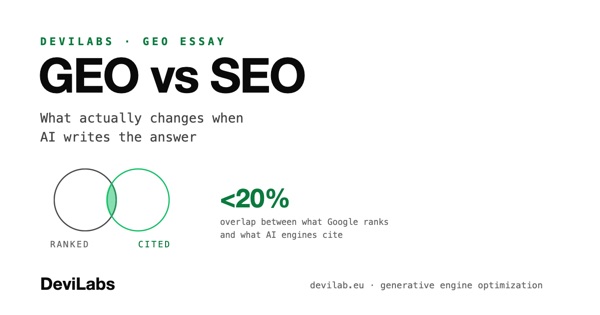
GEO vs SEO: What Actually Changes When AI Writes the Answer
SEO earns a ranked position and a click. GEO earns a place inside the answer itself. What carries over, what doesn't, where the budget goes.
Read the essay
How to Choose a GEO Agency in 2026: Red Flags, Fair Scope, Honest Pricing
Six red flags that expose a rebranded SEO retainer, seven questions that separate real GEO work from dashboards, and what a fair scope looks like.
Read the buyer's guide